
Every agent, terminal and server in one orbit.
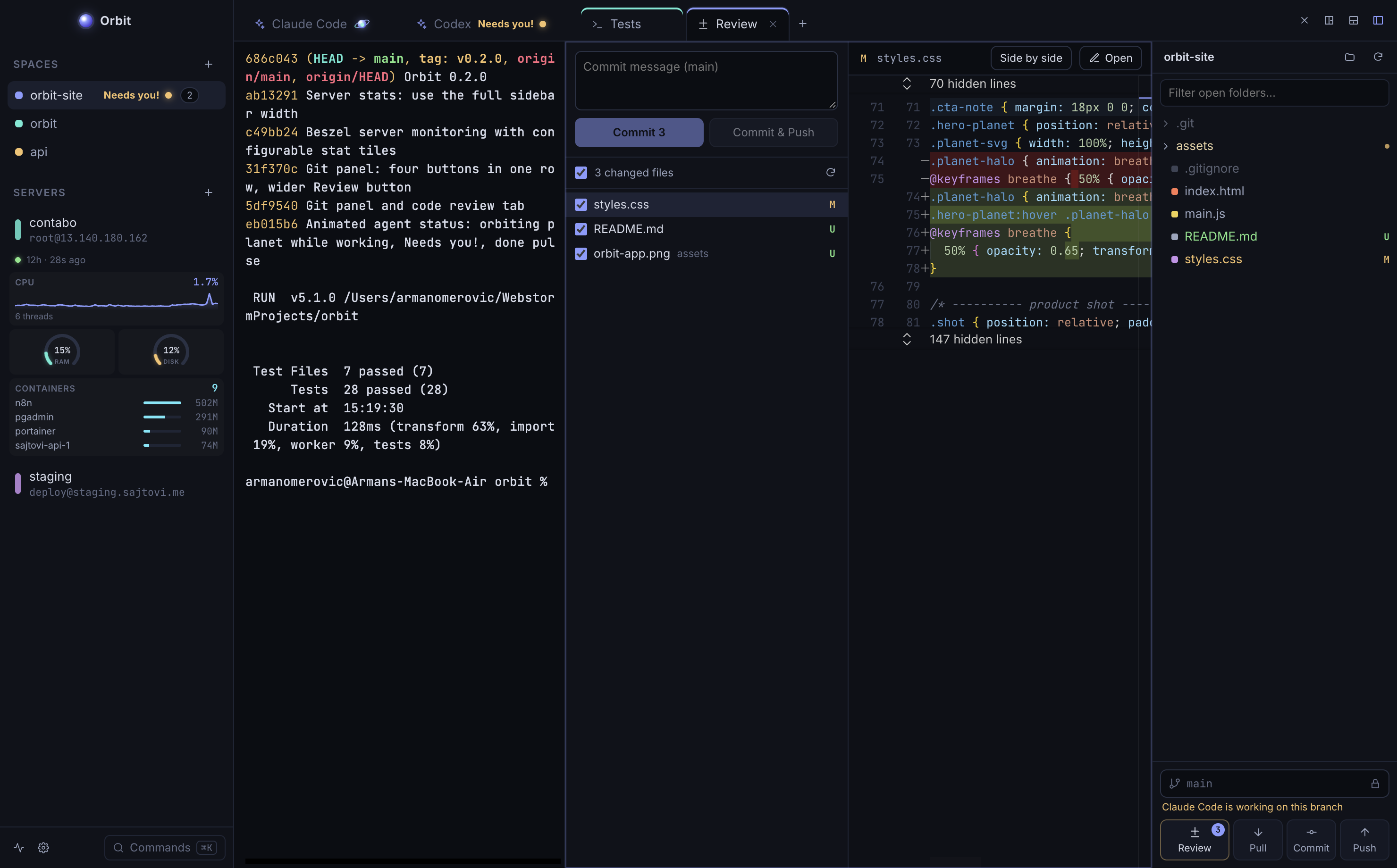
Orbit is a desktop workspace for building with AI agents. Run Claude Code, Codex or Gemini CLI in tabs, keep your terminals and editor next to them, review what changed, and reach your servers without leaving the window.
Free and open source. macOS, Windows and Linux.

-
Agents in tabs
Open Claude Code, Codex, Gemini CLI, opencode or any command line agent in its own tab. Each one gets Orbit's server tools automatically, and Claude picks up its conversation again after a restart.
-
See which agent needs you
A working agent's dot becomes a small planet. Its moon orbits fast while the agent writes, slowly while it thinks, and turns red when it is thinking hard. When it needs you, the tab says so.
ClaudeCodexGeminiNeeds you! -
Split it your way
Drag a tab to any edge of a pane and Orbit shows where it will land before you let go. Drag it out of the window to give it a window of its own, then put the logs on your second screen.
-
Review before you commit
Changed files light up in the file tree. Open Review to read side by side diffs, choose the files, then commit and push. Branch switching stays locked while an agent or a build is still running.
-
Your servers, one click away
Save a server once and get SSH terminals, file browsing and an MCP server that lets your agents run commands there. Every call they make shows up in the activity log.
-
Server health at a glance
Connect a Beszel hub and see CPU, memory, disk, network and containers under each server. Arrange the tiles yourself as graphs, rings or plain numbers.
Download Orbit
Free, open source, and it updates itself.
macOS
First launch: macOS says it can't verify Orbit. Open System Settings, Privacy & Security, and click Open Anyway.
Windows
First launch: if SmartScreen appears, click More info, then Run anyway.
Linux
AppImage: mark it executable with chmod +x, then run it.